Find Statement of Account in myGov
Learn how to find your Statement of Account in myGov to support your Keystart home loan application process quickly and easily online.

What is Statement of Account?
As part of your home loan application, you may be asked to provide a Statement of Account.
A Statement of Account from the ATO is an official summary of your tax account activity, including payments made, refunds issued, balances owing, and transaction history over a specific period.

How to access your Statement of Account?
Finding your Statement of Account in myGov is straightforward when you know where to look. Follow these simple steps to locate and download your statement.
1. Log in to myGov
Visit my.gov.au and sign in to your myGov account using your username and password.
2. Go to your Inbox
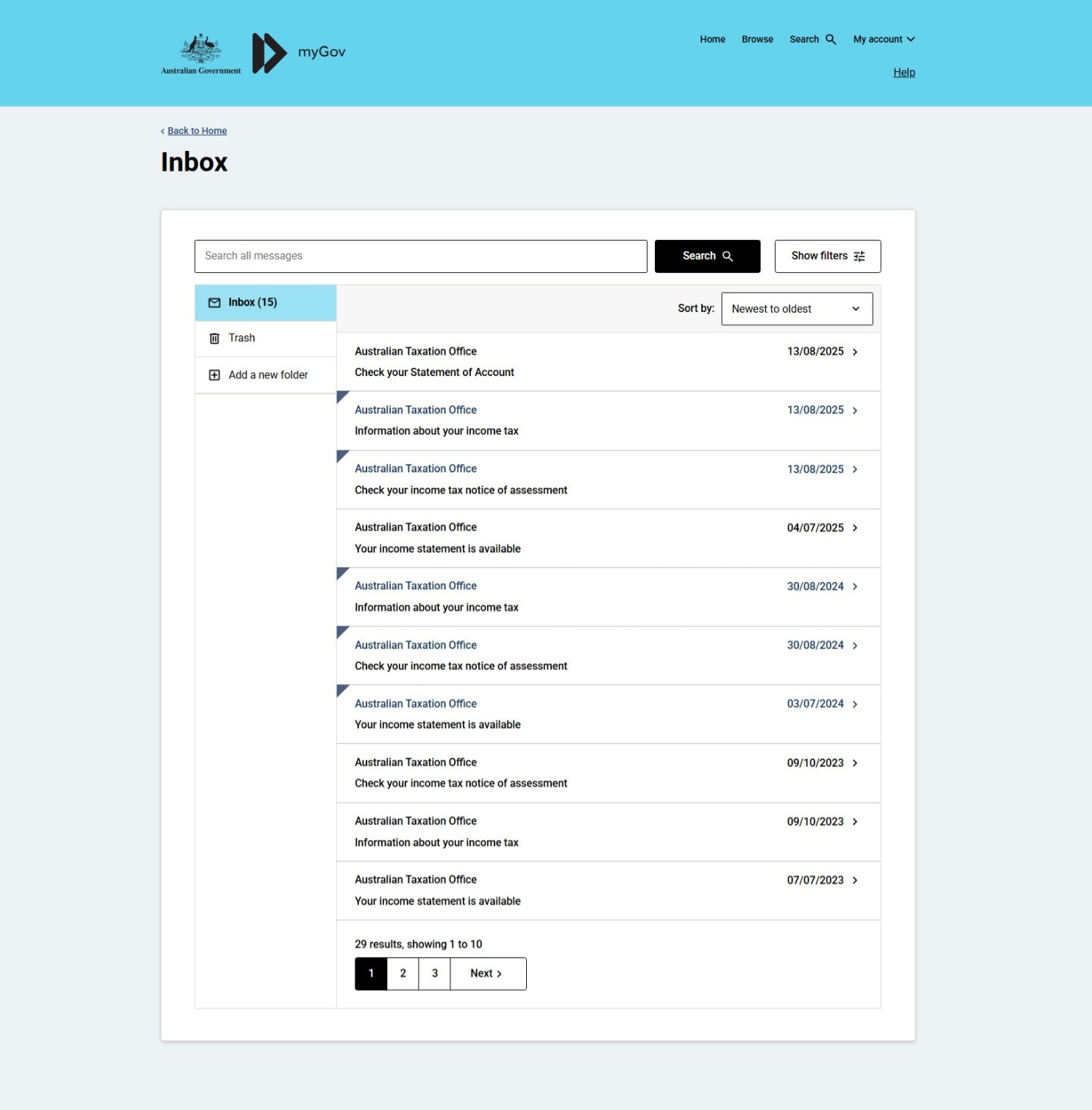
Once you're logged in, click on your Inbox. You will find all correspondence from government services, including Medicare, ATO and Centrelink, in your inbox.
Depending on how long you've had your myGov account and which services you've linked, you may have varying amounts of information, and your inbox may contain multiple pages of messages. Statement of Account may not always be on the first page. Use the navigation buttons at the bottom of the screen to move between pages and look for a message titled Australian Taxation Office. Check your Statement of Account
3. Save and send your statement
Click the message to open the statement, then click the Your statement of account option. A new window will open displaying your Statement of Account. Here, you can save or download the document and email it back to us or to your broker.
-
/guideicon-plane.svg?sfvrsn=80ddc250_3)
Log in to Broker Portal
Keep on top of your accreditation, access the forms you need and stay up to date with the latest news and updates through Broker Portal.
-

Speak to our Broker Support Team
Have a question? Our Broker Support Team is here to assist you with products, policy and next steps, supporting you every step of the way.
-

Submit a scenario
Have questions about a scenario? Email us the details and we'll reply as soon as possible.