How to access your income tax statement
Follow simple steps to access your income tax statement online for your Keystart home loan or broker application requirements easily.

What is income tax account?
Your income tax account (also known as Income tax 551) is your running account with the Australian Taxation Office that tracks all your income tax transactions. It shows all your income tax activities including tax assessed from your returns, refunds received, payments made, and any adjustments or cancellations. Each entry shows the processed date, effective date, description, debits, credits, and your running balance. This helps you track what you owe or what's been refunded to you over time.

How to access your income tax account?
1. Log in to myGov
Visit my.gov.au and sign in to your myGov account using your username and password.
2. Select the ATO
Once you're logged in, under the Linked services, click Australian Taxation Office.
3. Access your Income tax 551
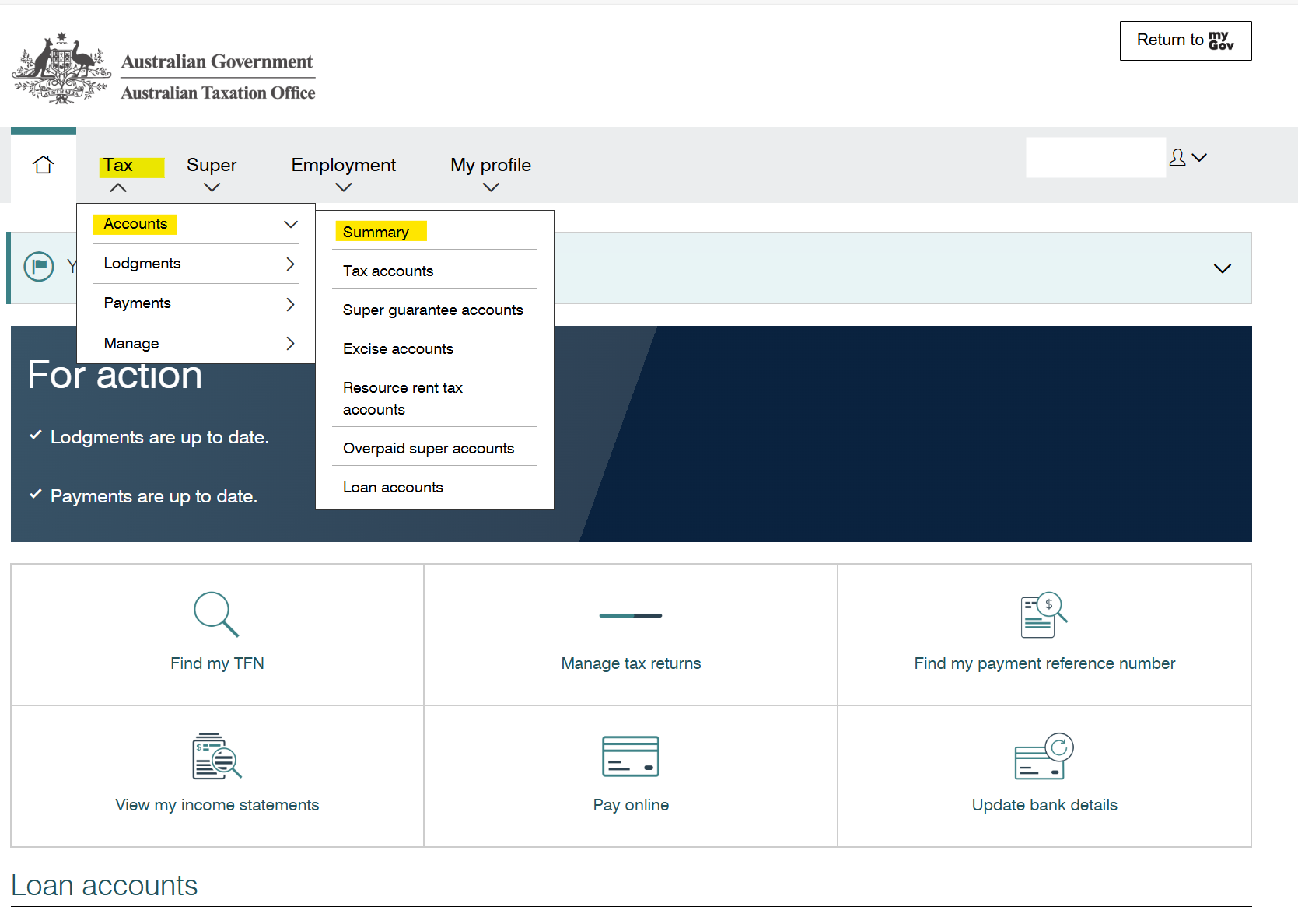
From the top menu, click on Tax > Accounts > Summary. Here you'll find Income tax 551 under Accounts summary. Once opened, click Print-friendly version, and a new window will open. Click Print to save your Income tax 551 as a PDF.
-
/guideicon-plane.svg?sfvrsn=80ddc250_3)
Log in to Broker Portal
Keep on top of your accreditation, access the forms you need and stay up to date with the latest news and updates through Broker Portal.
-

Speak to our Broker Support Team
Have a question? Our Broker Support Team is here to assist you with products, policy and next steps, supporting you every step of the way.
-

Submit a scenario
Have questions about a scenario? Email us the details and we'll reply as soon as possible.